HA-Leneda-Power


Disclaimer: This is an unofficial custom integration. This project is not affiliated with, endorsed by, or associated with Leneda, Creos, Enovos, or Home Assistant. All product names, logos, and brands are property of their respective owners.

 Leneda Power
A Home Assistant Integration that imports energy consumption and production statistics from the
Leneda API of Luxembourg energy providers and exposes them as sensors with statistics.
Features
Sensors
Metering datasensorAggregated metering datasensor
For example, the default OBIS code 1-1:1.29.0 shows electricity consumption as follows:
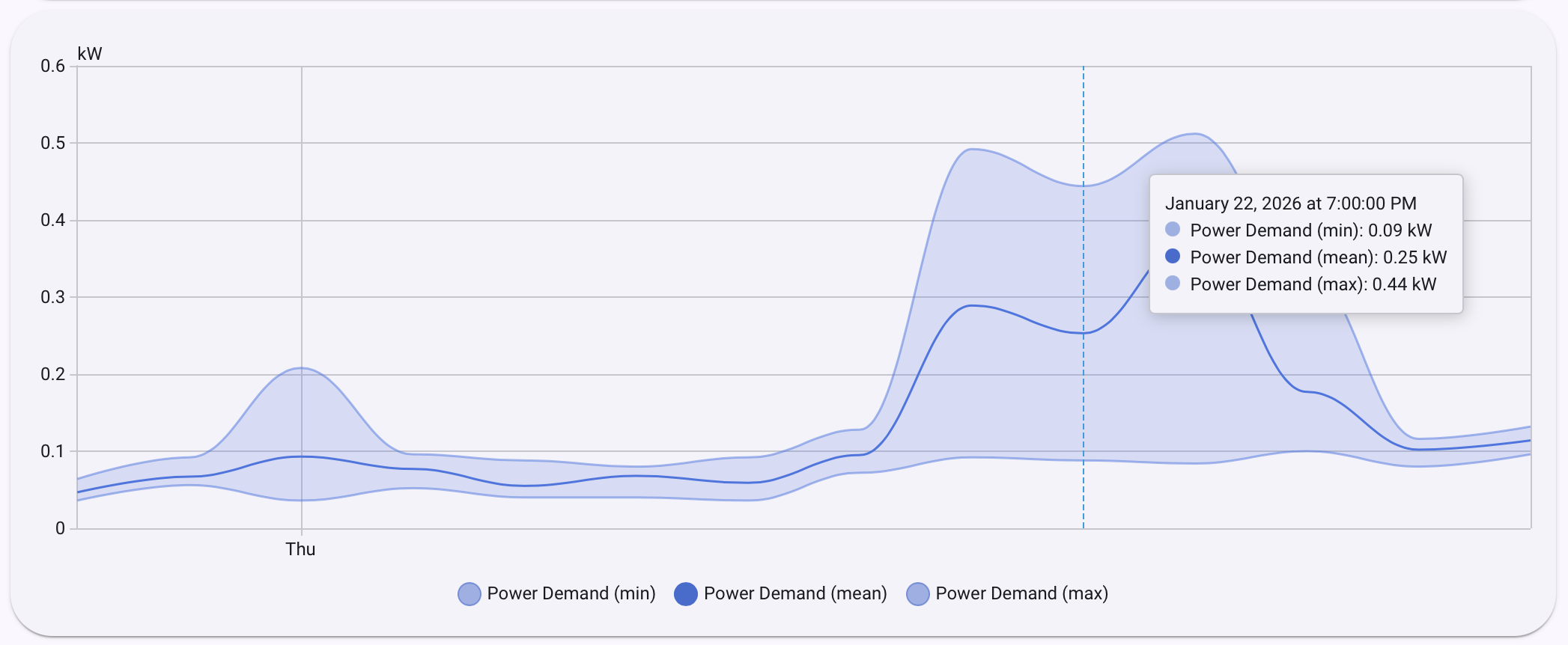
Active Power Consumptionsensor — electric power measurements (kW) recorded as hourly statistics with min, max and mean.Active Energy Consumptionsensor — electric energy measurements (kWh) recorded as hourly statistics with cumulative sum and mean.Multiple Entries (Metering points and OBIS Codes)
You can configure multiple entries per combination of metering point and OBIS code. Depending on what OBIS codes your Leneda metering point provides, your sensors can be for:
- Electricity energy (kWh) and power (kW) consumption
- Electricity energy (kWh) and power (kW) production
- Gas volume (m³) consumption

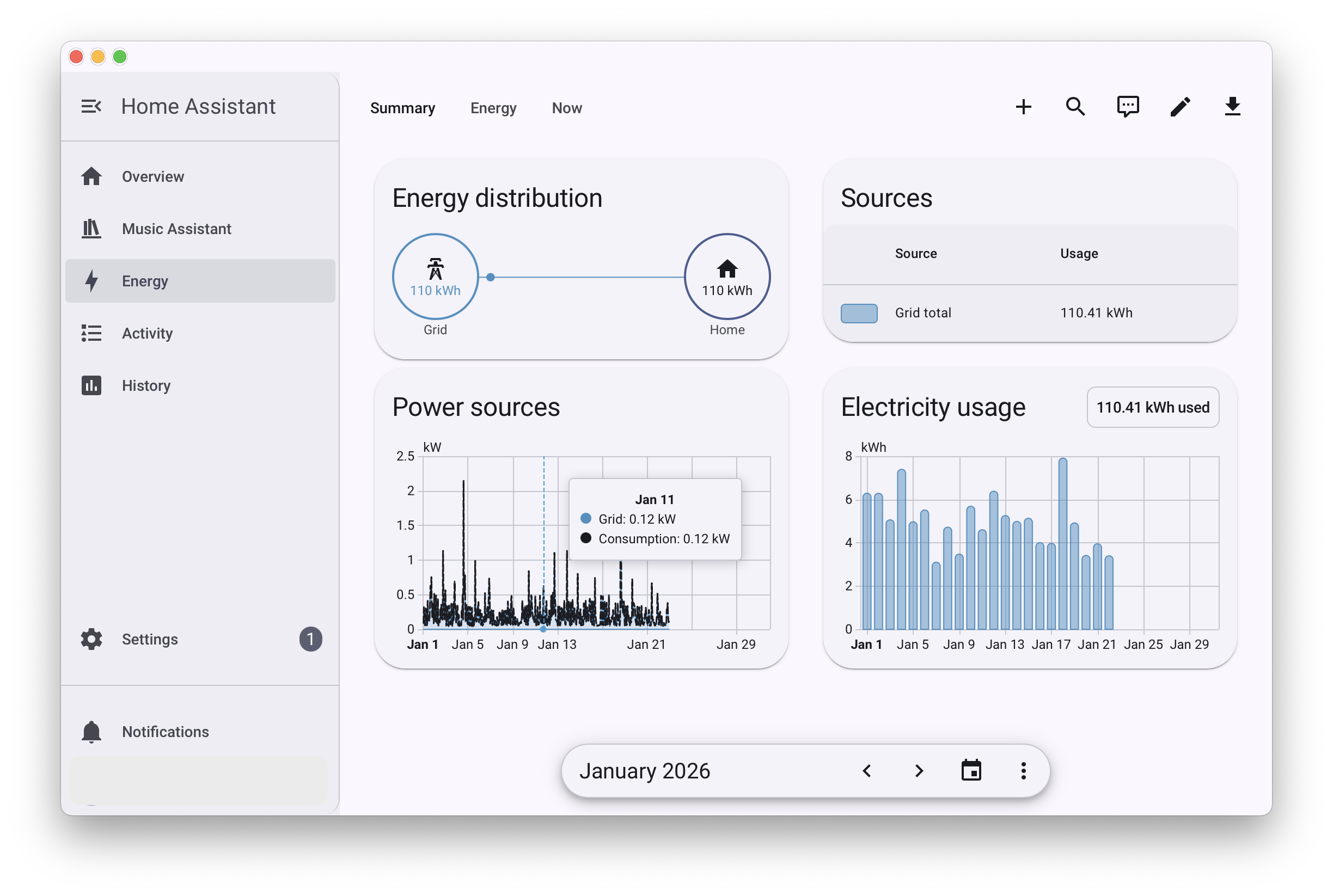
Energy Dashboard
The power and energy sensors can be connected to the Energy Dashboard
Statistics Graph Card
The power and energy sensors data can be visualized using Statistics Graph Card
Installation
HACS (Home Assistant Community Store)
- Download via HACS

- Restart Home Assistant!
- Configure Integration Entries

Repeat step 3 to configure additional entries. Each entry has a unique identifier composed of a metering point and an obis code.
When configuring an entry, you will be prompted for the following values:
- Required Get from your Leneda profile
metering_point— your Leneda metering point identifier.energy_id— your Leneda energy identifier.api_key— Leneda API key. How to get an API key?
- Optional
days_to_fetch_during_initial_setup— number of past days of historical data to download during initial setup (integer, default:180days).obis_code— OBIS code to read (default:1-1:1.29.0).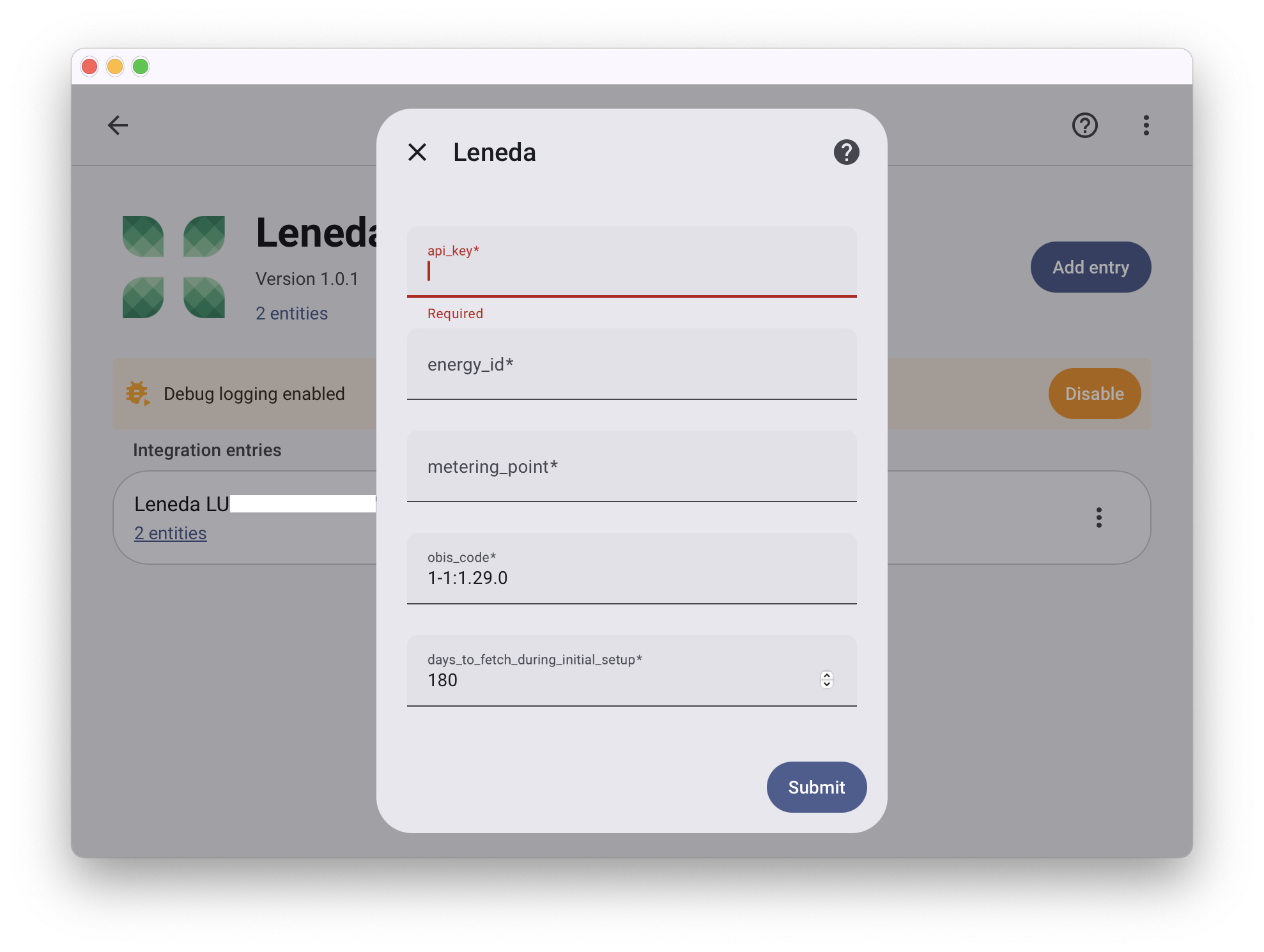
Manual Installation
- Download the latest release from the Releases page.
- Copy the
custom_components/lenedafolder to your Home Assistantconfig/custom_components/directory. - Restart Home Assistant.
- Go to Settings → Devices & Services → + Add Integration and search for Leneda.